Pages

Wednesday, February 11, 2015

Oracle PL/SQL: Give me record counts for all tables in a schema

This piece of SQL will output the row counts for every table in the current schema in a CSV format;

declare 
  i integer;
begin
  dbms_output.put_line('Table Name,Row Count,' || TO_CHAR(SYSDATE, 'DD-MON-YYYY HH24:MI:SS'));
  for v_table in (select ut.table_name from user_tables ut) loop
    execute immediate
      'select count(*) from ' || v_Table.Table_Name
      into i;
    dbms_output.put_line(v_Table.Table_Name || ',' || TO_CHAR(i));
  end loop;

end;

Very useful for doing before/ after migration comparisons.

Thursday, January 22, 2015

WIN8: User Interface Consistency

Doing the post a few days ago in relation to configuring MobileIron on a Windows Phone 8.1 highlighted some inconsistencies in the user interface I thought it was worth highlighting with their own post - some I think are down to MobileIron but some are also Microsoft.

Here are a few select screenshots from that post;


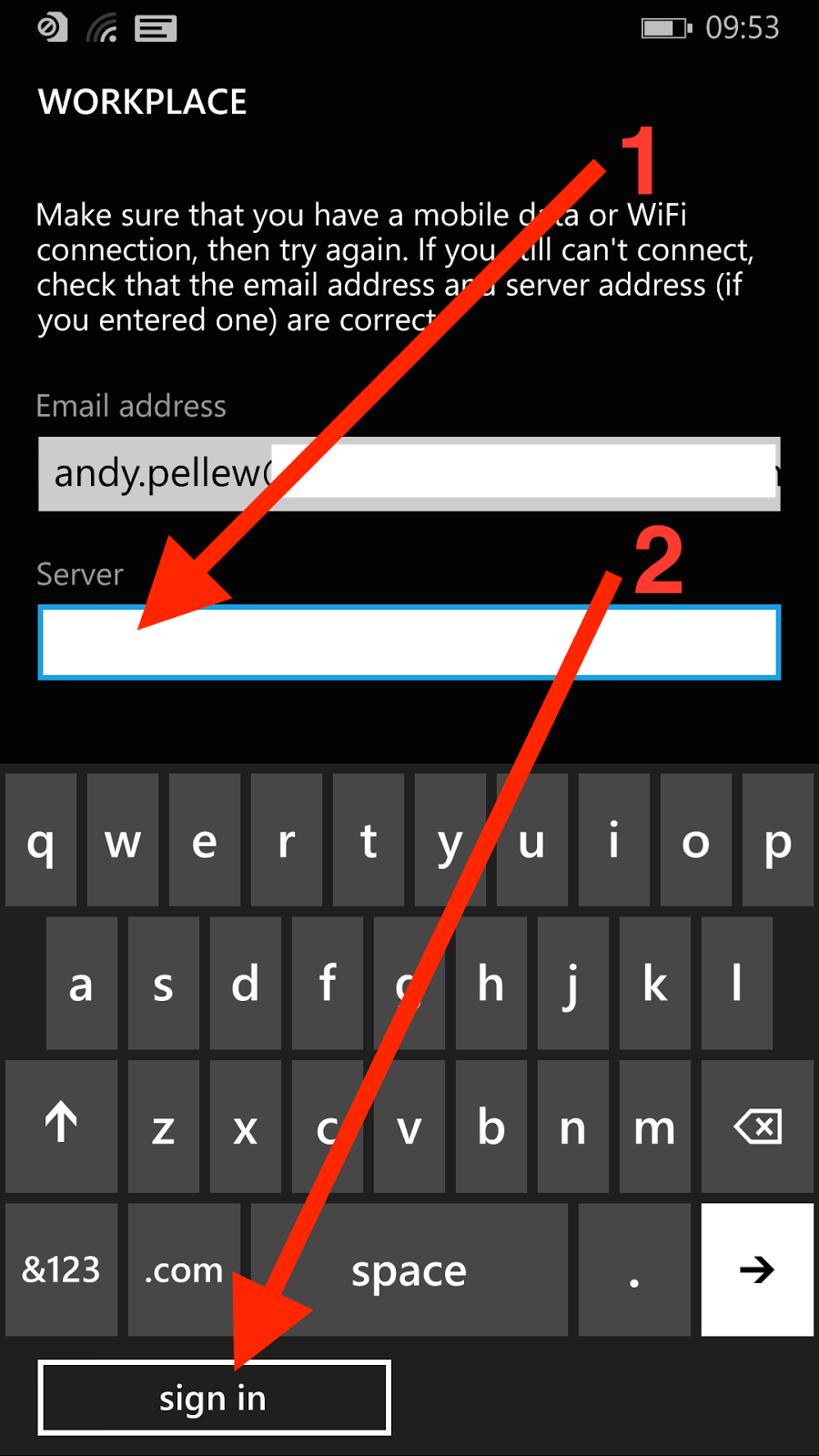
The first three are from the OS (configuring a workplace account), the final one is from the Mobile@Work app from MobileIron. The issue I'd like to highlight is the positioning and appearance of the button.

Here you'll notice a few things;

  • The button moves around. Sometimes it's under the displayed fields (first and third screens), sometimes it's at the bottom under the keyboard (second screen)
  • It's consistently lowercase (add account, sign in) - when it's text
  • In the second screen it's incorrectly labelled (sign in) - which it can't possibly do without a password. Perhaps it should be "next"?
  • If it's text then it's consistently left-aligned
  • On the third screen it's a tick, rather than text, and it's centered rather than left-aligned
There also seems to be a font issue;
  • On screen two "workplace" (first and third screens) has turned into "WORKPLACE" - I'm guessing this is just a heading format issue (SETTINGS on the first screen seems to be the same header level)
  • On the third screen "workplace" is lowercase next to an icon. This icon doesn't seem to ever get used again and "Icon + Name" on the All Applications screen suggests it should be Workplace not workplace

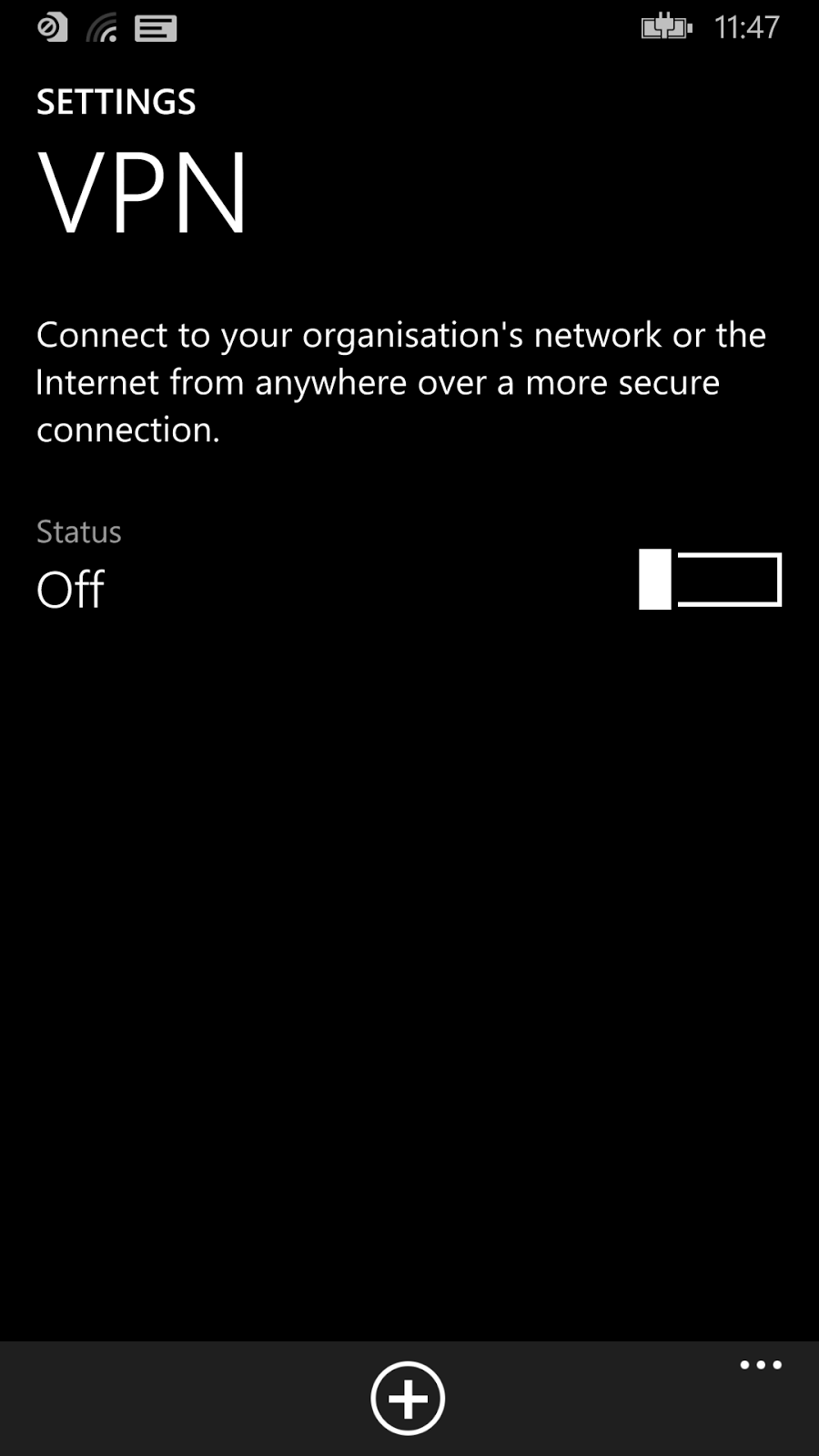
Here are another couple looking within the Settings app at Email Accounts and VPN configurations;


Here are a few things I notice about this;
  • On the left (VPN) you can see a "+" button at the bottom of the app, whereas on the right the "+" button is near the top with a suffix "add an account"
  • Should it be "VPN" or "vpn"? This is the typical problem of picking "lowercase" as your desired standard - you force people to do the exact opposite for things like VPN (capitals), Microsoft (init cap), WiFi (mixed), etc. This is also why most user interface designers compromise on "Init Caps" (i.e. capitalise the First Letter Of Each Word) and just allow things like VPN etc. to be exceptions
  • "and" has been replaced by "+"
  • The "add an account" link on the second screen. The header reads "email+accounts", but you can only "add an account"
So what's the point of all this? It's inconsistent. So what? It's not like it affects the capabilities of the device is it?

Well that's all true. I certainly didn't have any problems configuring the device however what I believe it shows is the lack of a single unifying goal behind the design. It's easy (and a little obvious) to say Microsoft is missing a "Steve Jobs"-figure but that's not really the issue. It should (and demonstrably is) possible to apply a consistent vision across a piece of software - lots of companies have done it including Microsoft. Remember when the "Office Ribbon" appeared? It wasn't as if the Excel or Outlook teams could have gone a different way.

The advantage of consistency (and this is an odd thing to have to say) is that everything looks the same. It means it's either the "best" design or it's not - everyone moves on to the next design or everyone stays where they are. You can't get an Office Ribbon in Outlook and old-style menus in Excel. What you need to make this work is a fairly flexible standard - there's no point in everyone agreeing to do something that doesn't work in all situations. Found a new situation? Agree it with the team responsible for the guidelines and move on. Someone else found a better way of doing something? Update the design and mark every app using the old design as needing an update. A lot of work I know, but what's the goal? Get the product out the door or make the best product possible?

This level of planning isn't impossible but it does require a great deal of organisational power to get it in place, and not too much power so that people feel they "own" the shared design rather than feeling the design is being dictated from somewhere else.

It's difficult to do, and the good news is that until Microsoft does something their interface will work, but will still appear a little unloved and uncared for. It's not just about passion for a good design - you also need the power to shape the product.

Maybe Windows Phone 10 will address the consistency issue ...


Wednesday, January 21, 2015

WIN8: Configuring A Workplace (MobileIron) Account on Windows Phone 8.1 (inc. Screenshots)

Here are a brief set of instructions (with lots of screen shots!) showing you how to configure a workplace account on Windows Phone 8.1. It might be slightly different for your configuration - I needed to enter a server address, it might be able to identify yours from your email - but should be good for everyone.

It isn't significantly different from Windows Phone 8.0, but is slightly different.

Start from the home screen;


Touch on the middle of the screen and pull your finger up (to move the screen down) to the very bottom;


The "All Applications" (or next) button will appear at the very bottom right of the screen. Touch here;


Touch any of the letters (C is highlighted, but it could be any letter);


We are after the "Settings" application so touch "s";


Touch "Settings";


Touch on the screen and pull upwards to scroll down. Unfortunately the list items aren't in Alphabetical order so stop when you see "workplace" appear;


Touch "workplace";


Touch "add account";


Touch on the "Email Address" box;


Enter your company email address (1) and then touch "sign in" at the bottom of the screen;


If Windows Phone can identify your server automatically it will just move on, if it can't a Server entry box will appear - touch it;


Enter the name of the Server (you don't need http or https, just something like my.server.com) (1) and then press "sign in";


As you can see here it's correctly identified that it's connected to a MobileIron server. Your email address should be populated from before, touch in the "Password" entry box to bring up the keyboard;


Enter your work password (1), and then touch "sign in" (2);


"We're looking for your settings ..." will appear at the top of the screen, a few seconds will pass and (providing all the details are correct and you're allowed to register new devices) you will see;


Make sure "Install company app" (1) is checked and then touch "done".

Go back to the main screen, back into All Applications (as shown at the start) but this time press "M" rather than "S";


Touch "Mobile@Work";


Touch on the "Email address" box and enter your email address (1) and password (2) and then touch the tick at the bottom the screen (3);


The "Server" box will appear (if it can't find it automatically), touch on the Server box (1), enter your server details exactly as you entered them when configuring the workplace account, and then touch the tick at the bottom (2);


Another few seconds will pass while the client updates from the server and then you will see your company apps;


That's it, you're done.


Thursday, October 30, 2014

Windows Phone 8.1 "Consent Needed"

So I just started using a Nokia 930 and I've been presented with the following dialog when checking for updates to the pre-installed applications;


You'll notice an absence of exactly what "Consent needed" means.

When you touch "retry all" Lumia Storyteller now presents the following dialog;


So "Consent needed" in this case is to grant Lumia Storyteller access to location data. Of course tapping "Cancel" works and prevents the app from installing - it doesn't remove it from the list though so you'll be prompted for as long as you own the device to install it. You just need to "allow" once (which anyone can do, no password required) so better make sure you never give the device to anyone else. Once you've allowed the app there doesn't seem to be a way (other than uninstalling the application) to revoke the granted permission.

I'm sure all that will follow in Windows 10.

Tuesday, October 28, 2014

Windows Phone 8: Vodafone Still Blocking UK Updates

And this is Microsoft's biggest problem - despite everything they've said about wanting to get "as many devices as possible onto 8.1" they seem to have made the mobile networks gatekeepers for the process and Vodafone doesn't seem to be co-operating.

Here's the screen shot from my Windows 8 phone;


It's very disappointing - I suspect both for me and Microsoft.

Needless to say "last checked about 6 months ago" isn't accurate!

Let's hope whatever the issue is that's preventing Microsoft and Vodafone rolling out the update to my Nokia 925 it gets resolved soon, but as Nokia/Microsoft are no longer selling the 925 I don't think I'll be holding my breath!

Nokia 930 (UK) Pre-Installed Applications

I've been testing a Nokia 930 and I thought it might be useful to give you a list of all the applications that come pre-installed on the device.

This is particularly useful if you're thinking of deploying this device in an Enterprise environment as MobileIron (for example) won't let you remove these pre-installed applications.

Here's the list (followed by screenshots from the device);

  • Alarms
  • App Social (*)
  • Battery Saver
  • Calculator
  • Calendar
  • Camera
  • Cortana
  • Data Sense
  • Facebook (*)
  • FM Radio
  • Food & Drink (*)
  • Games
  • Health & Fitness (*)
  • HERE Drive+ (*)
  • HERE Maps (*)
  • Internet Explorer
  • LINE (*)
  • Lumia Beamer (*)
  • Lumia Creative Studio (*)
  • Lumia Help + Tips (*)
  • Maps
  • Messaging
  • MixRadio (*)
  • Money (*)
  • motion data (*)
  • Music
  • News (*)
  • Nokia Camera (*)
  • Nokia Storyteller (*)
  • Office
  • OneDrive
  • OneNote
  • People
  • Phone
  • Photos
  • Podcasts
  • Settings
  • Skype (*)
  • Sport (*)
  • Storage Sense
  • Store
  • Transfer My Data (*)
  • Travel (*)
  • Video
  • Vine (*)
  • Wallet
  • Weather (*)
The applications marked with (*) can be uninstalled and removed (manually).


Tuesday, September 9, 2014

Google Apps in Windows Phone Store ... Apparently

So over the weekend I was browsing the Windows Phone store and I found this;


This is a screenshot from a Nokia 925 phone. Now I've got some experience with Mobile and I'm pretty sure that if Google had decided to rollout it's apps to Windows Phone I'd have noticed a press release, review, or something so I was curious.

Here's the next page;


So the publisher of "Google Maps" on Windows Phone is "Free Unlimited Downloader". Yes. That seems likely doesn't it? Well Google must have licensed the maps to them as under Microsoft's app approval policy (see here);
"3.1 All content in your app and associated metadata must be either originally created by the application provider, appropriately licensed from the third-party rights holder, used as permitted by the rights holder, or used as otherwise permitted by law."
And the application was approved so therefore Microsoft must have seen the license they held right? I mean Google has clearly licensed "Free Unlimited Downloader" to use its name, logo, and Maps. Right? I mean it's not like Microsoft can point to a misplaced comma this time;

Microsoft pulls fake Google apps from the Windows Phone Store, but doesn’t fix larger approval process problem (courtesy thenextweb.com)

As of 9th September these apps are still available (despite me reporting them a few days ago) via this web store;

http://www.windowsphone.com/en-gb/store/app/google-maps/7c0e17e7-349c-4a4a-abb5-9aaf30b145a0

Here's a screen capture;


I wonder how long it will take Microsoft to pull these (and how quickly the inevitable replacements will take to appear)? I wonder if the 1000+ people who have given this app favourable reviews (and their user data) will be compensated?

One thing is for sure this costs Microsoft *nothing*. In fact being able to show Google apps on their devices may even have made them some money.

I wonder if Microsoft would be quite so cavalier with it's own intellectual property.


As a side note; What I really like is the list of what this application requires;

"Phone identity; owner identity; location services; maps; photos library; microphone; data services; phone dialer; movement and directional sensor; web browser component"

On the plus side "phone identity" and "owner identity" don't seem to be as bad as they appear - they are just unique identifiers for the user/ device (see here). However "phone dialer" is a bit more worrying - will this device be able to dial the phone by itself? There's no clue on Microsoft's website;

http://www.windowsphone.com/en-gb/How-to/wp8/apps/how-can-i-tell-if-an-app-has-requirements

So how can the users make an informed decision? Oh that's right, they can't.

UPDATE: As of 28th October (I'll be honest -I've not been checking every day) these apps are no longer available. I hope the authors got the data they wanted ...